Running the Meta Pixel without the Conversions API in 2026 is like navigating with half a map. Browser-based tracking misses a growing share of conversions — estimates typically range from 15–30% depending on your audience — and that lost signal directly degrades Meta's ability to optimize your ad spend. Meta's Conversions API (CAPI) closes that gap by sending events directly from your server, independent of browser restrictions. But CAPI without the Pixel creates a different problem: duplicate counting. The right setup is both, running in parallel, with proper deduplication. Here's exactly how to do it via Google Tag Manager.
Why the Pixel Alone Isn't Enough
The Meta Pixel is a JavaScript tag that fires in the user's browser when a conversion happens. It has always depended on cookies to identify users and browsers to track events. Three changes have significantly degraded its effectiveness:
iOS 14+ App Tracking Transparency. Apple's App Tracking Transparency framework requires apps to request permission before tracking users across apps and websites. The majority of iOS users opted out, making a large segment of Apple device traffic largely invisible to the Pixel. For many advertisers, this single change reduced attributable conversion volume by 20% or more.
Browser-based cookie restrictions. Safari's Intelligent Tracking Prevention limits first-party cookie lifetimes to 7 days and blocks third-party cookies entirely. Firefox and Brave apply similar restrictions. When a user clicks an ad and converts more than 7 days later — or converts on a different browser — the Pixel can't connect the conversion back to the original click.
Ad blockers and privacy extensions. A meaningful share of your audience is running ad blockers that either suppress the Pixel script from loading or block the network requests it makes. These users convert, but the Pixel never fires.
The cumulative effect: Meta's algorithm is trying to optimize your campaigns based on a partial, biased dataset. It over-represents users who allow tracking and under-represents privacy-conscious users — which skews the audience modeling and reduces the efficiency of your ad spend.
What the Conversions API Does Differently
The Meta Conversions API sends conversion events directly from your server to Meta's servers, bypassing the browser entirely. Because the event originates server-side, it isn't affected by browser restrictions, ad blockers, or cookie limitations. The event travels directly from your infrastructure to Meta — no JavaScript, no browser dependency.
CAPI events can include richer customer data parameters — hashed email, phone number, name, city, state, zip — that the browser Pixel often can't access. This additional data improves Event Match Quality (EMQ), Meta's score for how well it can match your conversion events to user profiles in its system. Higher EMQ means more conversions get attributed to your ads, which means the algorithm has more signal to optimize against.
The limitation of CAPI alone: it doesn't capture the real-time browser behavior that helps Meta build lookalike audiences and track micro-interactions. The Pixel does that well. Running CAPI without the Pixel sacrifices that signal. The combination — Pixel for real-time browser events, CAPI for reliable server-side confirmation — gives Meta the most complete picture of your customer activity.
How Deduplication Works (And Why It Matters)
When the Pixel and CAPI are both running, the same conversion event will fire twice: once from the browser and once from the server. Without deduplication, Meta counts both as separate conversions and your reported numbers become inflated. More importantly, the algorithm optimizes against a dataset with artificial volume — which produces real-money bidding decisions based on phantom conversions.
Meta's deduplication mechanism relies on a matching event_id parameter. Meta's deduplication documentation specifies: when two events arrive for the same event_name with the same event_id within 48 hours, Meta treats them as a single event and discards the duplicate.
The implementation requirement: generate a unique event_id on the page at the moment of conversion, pass it to the Pixel event via the eventID parameter, and include the same value in the CAPI payload. In GTM, this typically means storing the generated ID in a dataLayer variable at the time the conversion event fires, then referencing that same variable in both the client-side Pixel tag and the server-side CAPI request.
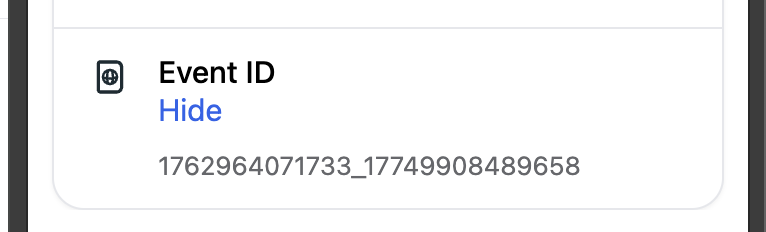
event_id value that ties together the browser Pixel event and the server-side CAPI event — Meta uses this to deduplicate within a 48-hour window.CAPI Setup Options: Which Approach Is Right for You
There are three main ways to implement CAPI, each with different trade-offs on complexity, cost, and data richness:
Option 1: Meta's Gateway Partner integrations. Platforms like Shopify, WooCommerce, and HubSpot offer native CAPI integrations that handle the server-side event sending automatically. If your stack is covered by a Meta partner integration, this is the fastest path to CAPI. The downside: data richness is limited to what the platform passes, and you have less control over event parameters.
Option 2: GTM server-side container. Running CAPI through a server-side GTM container gives you full control over event data, enrichment, and deduplication logic — without requiring custom engineering. Your existing client-side GTM implementation sends events to the sGTM container, which enriches them with server-side customer data and forwards them to Meta via the CAPI. This is the recommended approach for advertisers who already use GTM and want to avoid building custom API infrastructure.
Option 3: Direct API integration. Building a direct server-to-server integration gives maximum flexibility and data richness, but requires engineering resources to build and maintain. For most marketing teams, the GTM server-side approach delivers the same data quality with significantly less development overhead.
Setting Up CAPI via GTM Server-Side
The GTM server-side CAPI implementation involves four components working together: the client-side GTM container, a server-side GTM container hosted on your own infrastructure, the Meta Pixel client in the server container, and proper event_id generation for deduplication.
Step 1: Deploy a server-side GTM container. Your sGTM container needs to be hosted on a subdomain you control — typically something like metrics.yourdomain.com. Google provides managed hosting via App Engine, or you can use a third-party provider like Stape for a simpler deployment. The container receives events forwarded from your client-side GTM container.
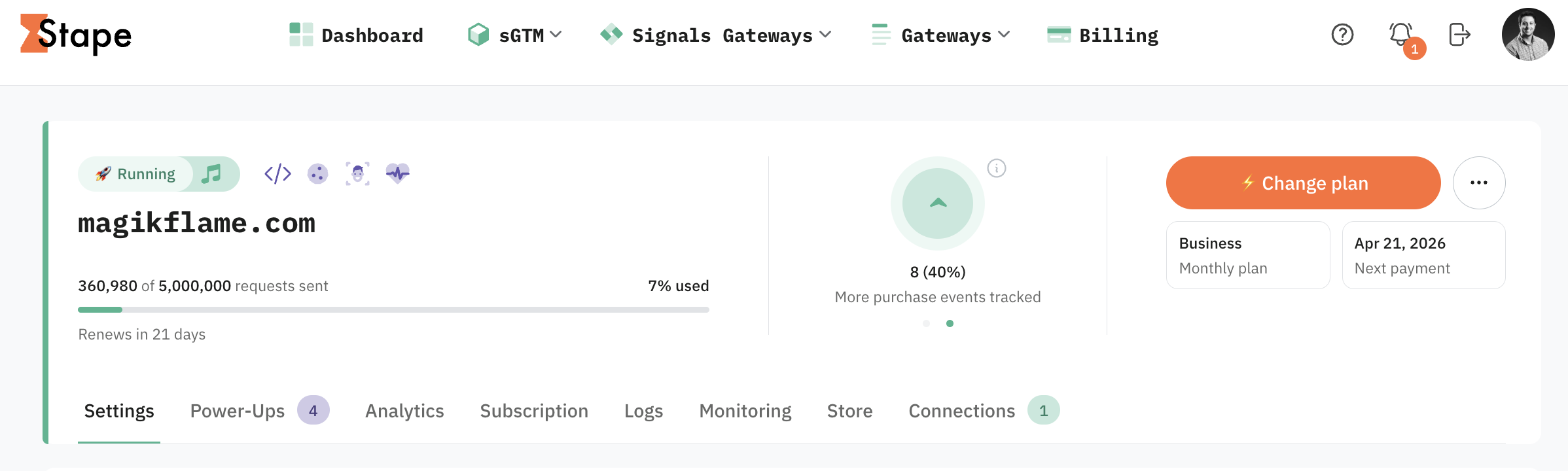
Step 2: Install the Meta CAPI tags in sGTM. The Meta Pixel client template in the sGTM container listens for events forwarded from the browser and transforms them into CAPI-formatted payloads. Configure the client with your Pixel ID and your CAPI access token, which you generate in Meta's Events Manager.
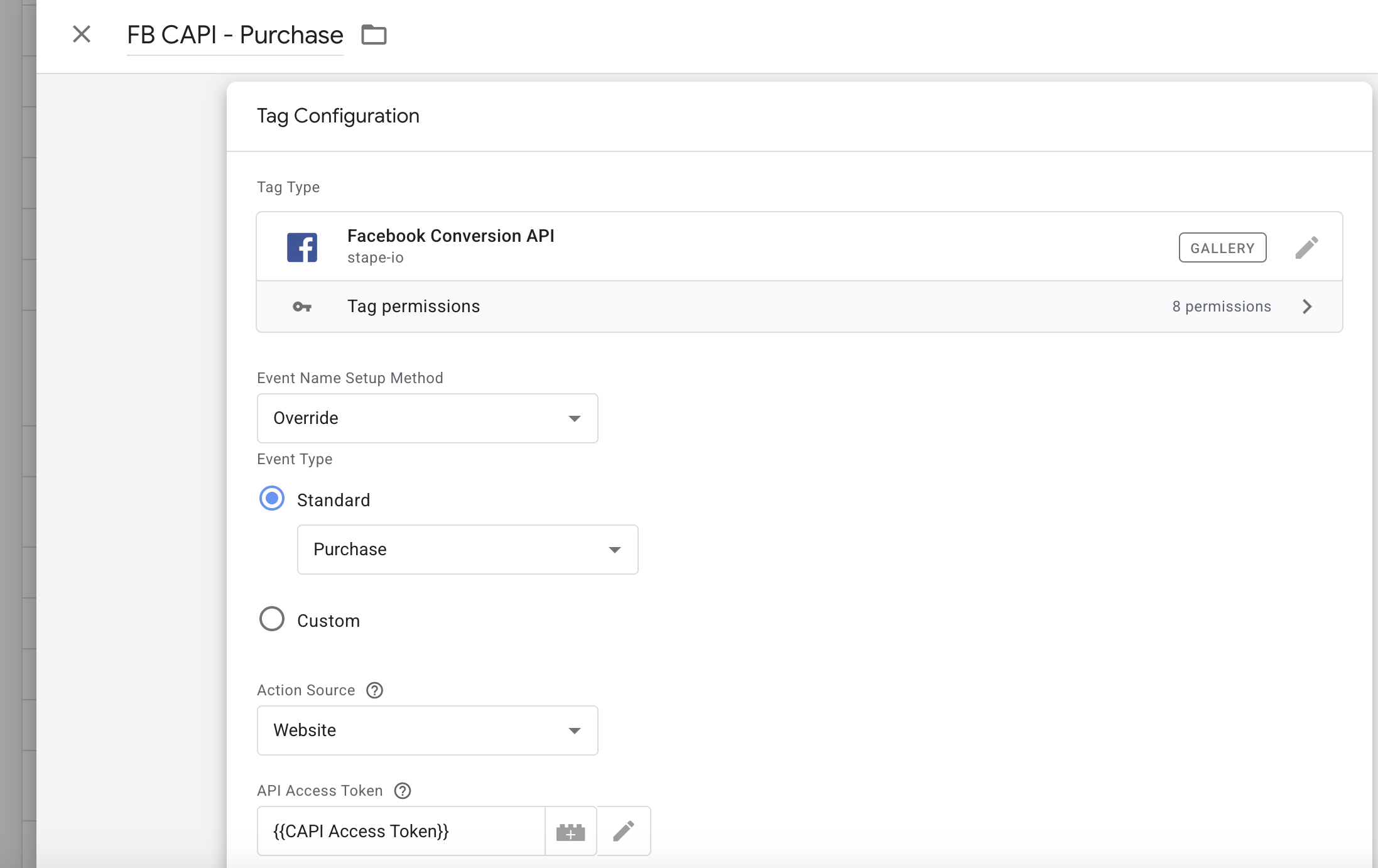
Step 3: Generate and pass event_id for deduplication. In your client-side GTM container, create a Custom JavaScript variable that generates a unique ID at conversion time — typically a UUID or timestamp-based string. Push this to the dataLayer alongside your conversion event. Reference the same variable in both the client-side Pixel tag (as eventID) and ensure the server container passes it through as event_id in the CAPI payload.
Step 4: Enrich server events with customer data. The primary EMQ advantage of CAPI comes from attaching hashed customer data to conversion events. In the sGTM container, configure the Meta Pixel tag to include hashed versions of available customer parameters: em (email), ph (phone), fn (first name), ln (last name), ct (city), st (state), zp (zip code). These must be SHA-256 hashed before sending. The more parameters you include, the higher your EMQ score.
Step 5: Verify in Meta Events Manager. After deployment, check Events Manager to confirm events are arriving from both browser and server sources, that deduplication is working (you should see a single deduplicated event count, not doubled), and review your EMQ score. A score of 7 or above is a reasonable baseline; above 8 is strong.
Improving Event Match Quality
Event Match Quality (EMQ) is the lever most advertisers underuse. It directly determines how many of your CAPI events Meta can match to logged-in user profiles — and unmatched events provide no attribution signal to the algorithm.
The EMQ score is driven by the customer information parameters you send. Email address (em) carries the most matching weight and alone can drive EMQ to 6–7 for many advertisers. Adding phone number, name, and location parameters typically pushes scores to 8–9. All parameters must be SHA-256 hashed on your server before transmission — Meta handles the matching on their end against hashed versions of user data in their system.
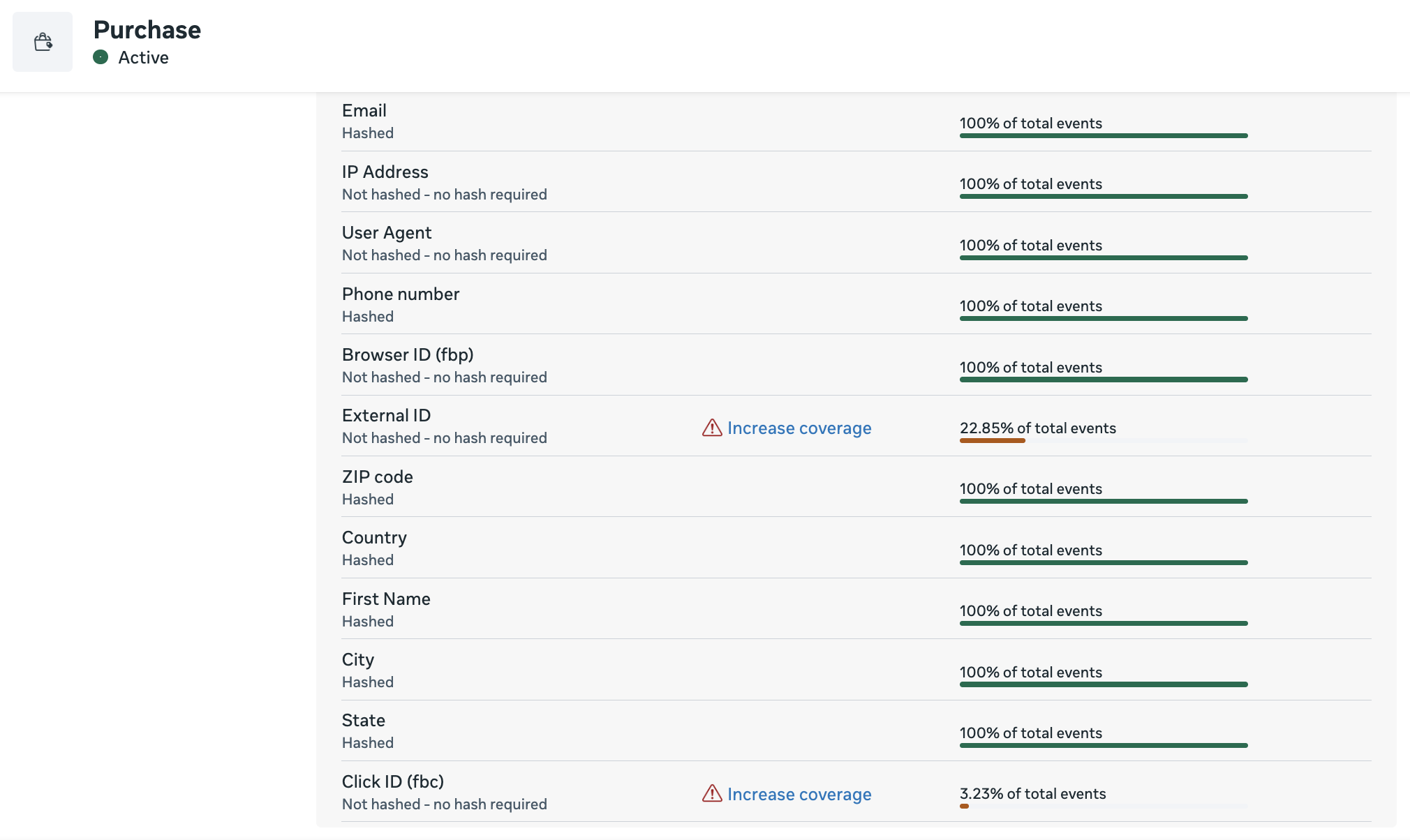
For lead generation businesses, the highest EMQ scenario is sending a conversion event at the moment a lead submits their email address — because you have the email at that exact moment. For e-commerce, sending the order confirmation data (email, shipping address details) produces excellent match rates. Our Meta Pixel and CAPI implementation service covers full parameter mapping and EMQ optimization as part of every setup.
The right standard for CAPI: Running CAPI through a gateway partner integration is better than not running it at all. But a properly configured GTM server-side implementation with full customer data parameters, correct deduplication, and consent gating will consistently outperform a basic integration on every metric that matters — EMQ score, attributable conversion volume, and ultimately ad optimization quality.
Consent Gating for CAPI
CAPI events are subject to the same consent requirements as browser Pixel events. Sending server-side conversion events for users who haven't consented to tracking violates GDPR in the EU and similar frameworks elsewhere. In your GTM server-side container, CAPI tag firing should be conditional on the same consent signal that gates your client-side Pixel — typically a analytics_storage or ad_storage consent state from your Consent Mode v2 implementation.
The practical architecture: your client-side GTM container passes the user's current consent state to the server container alongside the event data. The server container checks consent before firing the Meta CAPI tag. This ensures your server-side implementation respects consent decisions just as your browser-side implementation does. For a full walkthrough of consent setup in GTM, the Consent Mode v2 guide covers the implementation in detail.
Frequently Asked Questions
Yes. The Pixel alone misses a significant share of conversions due to browser restrictions, iOS privacy changes, and ad blockers. CAPI sends events directly from your server, bypassing those restrictions. Running both — with proper deduplication — gives Meta the most complete signal and the best foundation for ad optimization.
Event Match Quality is Meta's 0–10 score for how well your conversion events can be matched to Facebook user profiles. Higher EMQ means more conversions get attributed to your ads. Improving EMQ requires sending additional customer information parameters — hashed email, phone, name, and location — alongside your CAPI events.
Deduplication requires sending a matching event_id parameter with both the browser Pixel event and the CAPI server event. When Meta receives two events with the same event_id within a 48-hour window, it counts them as one. Without matching event_ids, both events are counted separately and your reported conversions will be inflated.

Ready to run Pixel + CAPI the right way?
We handle the full implementation — server-side GTM setup, deduplication, EMQ optimization, and consent gating. Book a free call to talk through your setup.
Schedule a Free Call